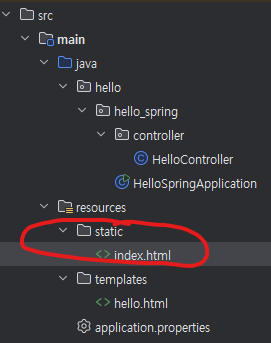
<!DOCTYPE html>
<html lang="en">
<head>
    <meta charset="UTF-8">
    <title>Title</title>
</head>
<body>
Hello
<a href="/hello">hello</a>
</body>
</html>
Spring boot에서는 static/index.html 을 올려두면 welcome page 기능을 제공한다.
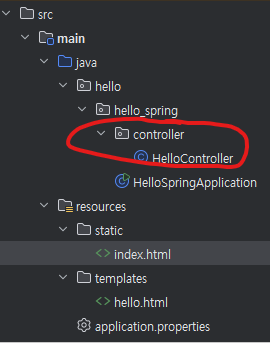
package hello.hello_spring.controller;


import org.springframework.stereotype.Controller;
import org.springframework.ui.Model;
import org.springframework.web.bind.annotation.GetMapping;

@Controller
public class HelloController {

    @GetMapping("hello")
    public String hello(Model model) {
        model.addAttribute("data", "hello!!");
        return "hello";
    }
}
<!DOCTYPE html>
<html lang="en" xmlns:th="http://www.thymeleaf.org">
<head>
    <meta charset="UTF-8">
    <title>Hello</title>
</head>
<body>
<p th:text="'안녕하세요. ' + ${data}">안녕하세요. 손님</p>
</body>
</html>

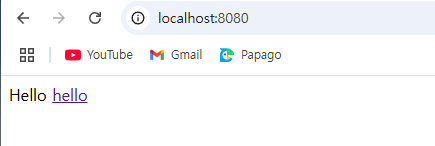
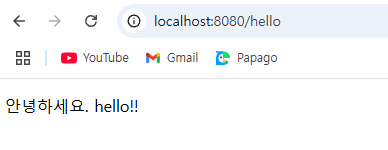
thymeleaf 템플릿엔진을 사용한 것이며 동작 확인 하는 방법은 http:///localhost:8080/hello 를 검색하면 된다.
동작 환경 그림
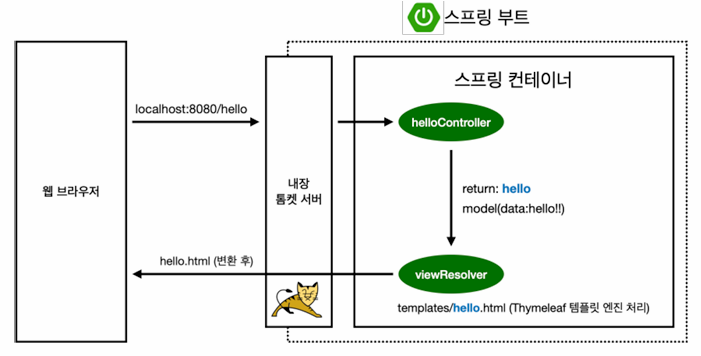
- 컨트롤러에서 리턴 값으로 문자를 반환하면 뷰 리졸버(viewResolver)가 화면을 찾아서 처리한다.
- 스프링 부트 템플릿엔진 기본 viewName 매핑
- resources:templates/ + {ViewName} + .html
빌드 및 실행
콘솔로 이동
- ./gradlew build
- cd build/libs
- java -jar hello-spring-0.0.1-SNAPSHOT.jar
- 실행 확인
'spring' 카테고리의 다른 글
| 같은 타입의 Bean 충돌 해결(@Qualifier @Primary) (0) | 2025.02.04 |
|---|---|
| 의존관계 주입 / @RequiredArgsConstructor (0) | 2025.02.04 |
| 수동등록 bean(@Configuration, @Bean)과 자동등록 bean(@ComponentScan, @Component)이 충돌할 경우 (0) | 2025.02.04 |
| MVC와 템플릿 엔진, API (0) | 2025.01.31 |
| @Controller 랑 @RestController 차이점 (0) | 2025.01.23 |